
Platform updates
April 2026
April’s release helps teams move faster through high-volume campaign setup, expand validation coverage, and resolve tracking issues with greater clarity. With updated functionality in bulk create, improved Microsoft Ads validation, first-time bulk create guidance, and more detailed error paths, teams can work more efficiently while protecting campaign data quality.
Campaign execution, Data quality, Validated workflows
Drag-to-copy values in bulk create and edit
Drag and release inputs to copy values across rows in the bulk create/edit table, ensuring teams can complete repetitive updates more efficiently.
Microsoft Ads tracking template and custom parameter resolution
Expand validation coverage and improve visibility into the Microsoft Ads setup with resolved tracking templates and custom parameters.
First-time bulk create introduction guide
Access a short introduction guide directly in the bulk create table, ensuring first-time users can get started more easily.
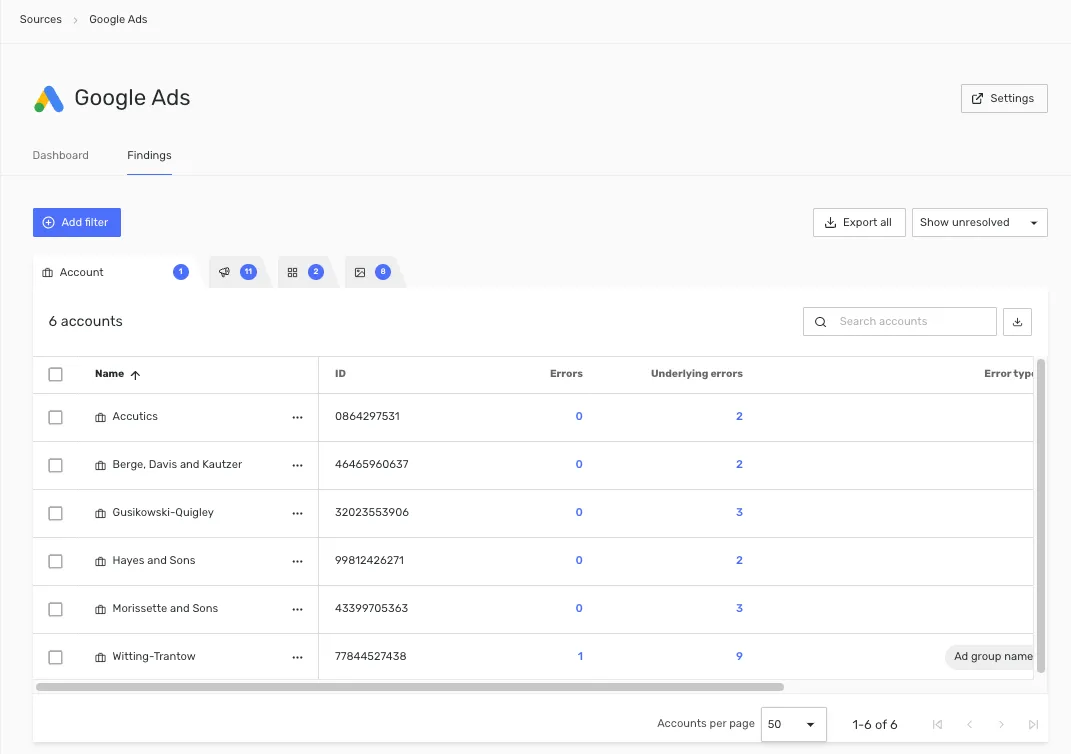
Improved error detail paths
View error details in Validate down to the affected resource, including parent ad group, campaign, and related hierarchy information, ensuring a more detailed understanding of findings and necessary actions.
Keep_exploring
Looking for a broader recap of Accutics updates?
Stay_current
Never miss an update
Get product improvements and practical marketing data guidance in your inbox.